> ## Documentation Index
> Fetch the complete documentation index at: https://portkey-docs-feat-rerank-documentation.mintlify.site/llms.txt
> Use this file to discover all available pages before exploring further.
# Langfuse
> Integrate Langfuse observability with Portkey's AI gateway for comprehensive LLM monitoring and advanced routing capabilities
Langfuse is an open-source LLM observability platform that helps you monitor, debug, and analyze your LLM applications. When combined with Portkey, you get the best of both worlds: Langfuse's detailed observability and Portkey's advanced AI gateway features.
This integration allows you to:
* Track all LLM requests in Langfuse while routing through Portkey
* Use Portkey's 250+ LLM providers with Langfuse observability
* Implement advanced features like caching, fallbacks, and load balancing
* Maintain detailed traces and analytics in both platforms
## Quick Start Integration
Since Portkey provides an OpenAI-compatible API, integrating with Langfuse is straightforward using Langfuse's OpenAI wrapper.
### Installation
```bash theme={"system"}
pip install portkey-ai langfuse openai
```
### Basic Setup
```python theme={"system"}
import os
from portkey_ai import createHeaders, PORTKEY_GATEWAY_URL
# Set your Langfuse credentials
os.environ["LANGFUSE_PUBLIC_KEY"] = "YOUR_LANGFUSE_PUBLIC_KEY"
os.environ["LANGFUSE_SECRET_KEY"] = "YOUR_LANGFUSE_SECRET_KEY"
# Import OpenAI from langfuse
from langfuse.openai import OpenAI
# Initialize the client
client = OpenAI(
api_key="YOUR_OPENAI_API_KEY", # Your LLM provider API key
base_url=PORTKEY_GATEWAY_URL,
default_headers=createHeaders(
api_key="YOUR_PORTKEY_API_KEY",
provider="@YOUR_PROVIDER",
# config="YOUR_CONFIG_ID", # Optional: Use saved configs
# trace_id="YOUR_TRACE_ID", # Optional: Custom trace ID
)
)
# Make a request
response = client.chat.completions.create(
model="gpt-4o-mini",
messages=[{"role": "user", "content": "Hello, world!"}],
)
print(response.choices[0].message.content)
```
This integration automatically logs requests to both Langfuse and Portkey, giving you observability data in both platforms.
## Using Portkey Features with Langfuse
### 1. LLM Integrations
LLM Integrations in Portkey allow you to securely manage API keys and set usage limits. Use them with Langfuse for better security:
```python theme={"system"}
from langfuse.openai import OpenAI
from portkey_ai import createHeaders, PORTKEY_GATEWAY_URL
client = OpenAI(
api_key="PORTKEY_API_KEY",
base_url=PORTKEY_GATEWAY_URL
)
response = client.chat.completions.create(
model="@openai/gpt-4o",
messages=[{"role": "user", "content": "Explain quantum computing"}]
)
```
### 2. Multiple Providers
Switch between 250+ LLM providers while maintaining Langfuse observability:
```python theme={"system"}
client = OpenAI(
api_key="YOUR_OPENAI_KEY",
base_url=PORTKEY_GATEWAY_URL
)
```
```python theme={"system"}
client = OpenAI(
api_key="PORTKEY_API_KEY",
base_url=PORTKEY_GATEWAY_URL
)
```
```python theme={"system"}
client = OpenAI(
api_key="PORTKEY_API_KEY",
base_url=PORTKEY_GATEWAY_URL
)
```
### 3. Advanced Routing with Configs
Use Portkey's config system for advanced features while tracking in Langfuse:
```python theme={"system"}
# Create a config in Portkey dashboard first, then reference it
client = OpenAI(
api_key="PORTKEY_API_KEY",
base_url=PORTKEY_GATEWAY_URL
)
```
Example config for fallback between providers:
```json theme={"system"}
{
"strategy": {
"mode": "fallback"
},
"targets": [
{
"provider":"@openai-key",
"override_params": {"model": "gpt-4o"}
},
{
"provider":"@anthropic-key",
"override_params": {"model": "claude-3-opus-20240229"}
}
]
}
```
### 4. Caching for Cost Optimization
Enable caching to reduce costs while maintaining full observability:
```python theme={"system"}
config = {
"cache": {
"mode": "semantic",
"max_age": 3600
},
"provider":"@YOUR_PROVIDER"
}
client = OpenAI(
api_key="PORTKEY_API_KEY",
base_url=PORTKEY_GATEWAY_URL,
default_headers=createHeaders(
config=config
)
)
```
### 5. Custom Metadata and Tracing
Add custom metadata visible in both Langfuse and Portkey:
```python theme={"system"}
client = OpenAI(
api_key="PORTKEY_API_KEY",
base_url=PORTKEY_GATEWAY_URL,
default_headers=createHeaders(
metadata={
"user_id": "user_123",
"session_id": "session_456",
"environment": "production"
},
trace_id="langfuse-trace-001"
)
)
```
Automatically switch to backup targets if the primary target fails.
Route requests to different targets based on specified conditions.
Distribute requests across multiple targets based on defined weights.
Enable caching of responses to improve performance and reduce costs.
Automatic retry handling with exponential backoff for failed requests
Set and manage budget limits across teams and departments. Control costs with granular budget limits and usage tracking.
## Observability Features
With this integration, you get:
### In Langfuse:
* request/response logging
* Latency tracking
* Token usage analytics
* Cost calculation
* Trace visualization
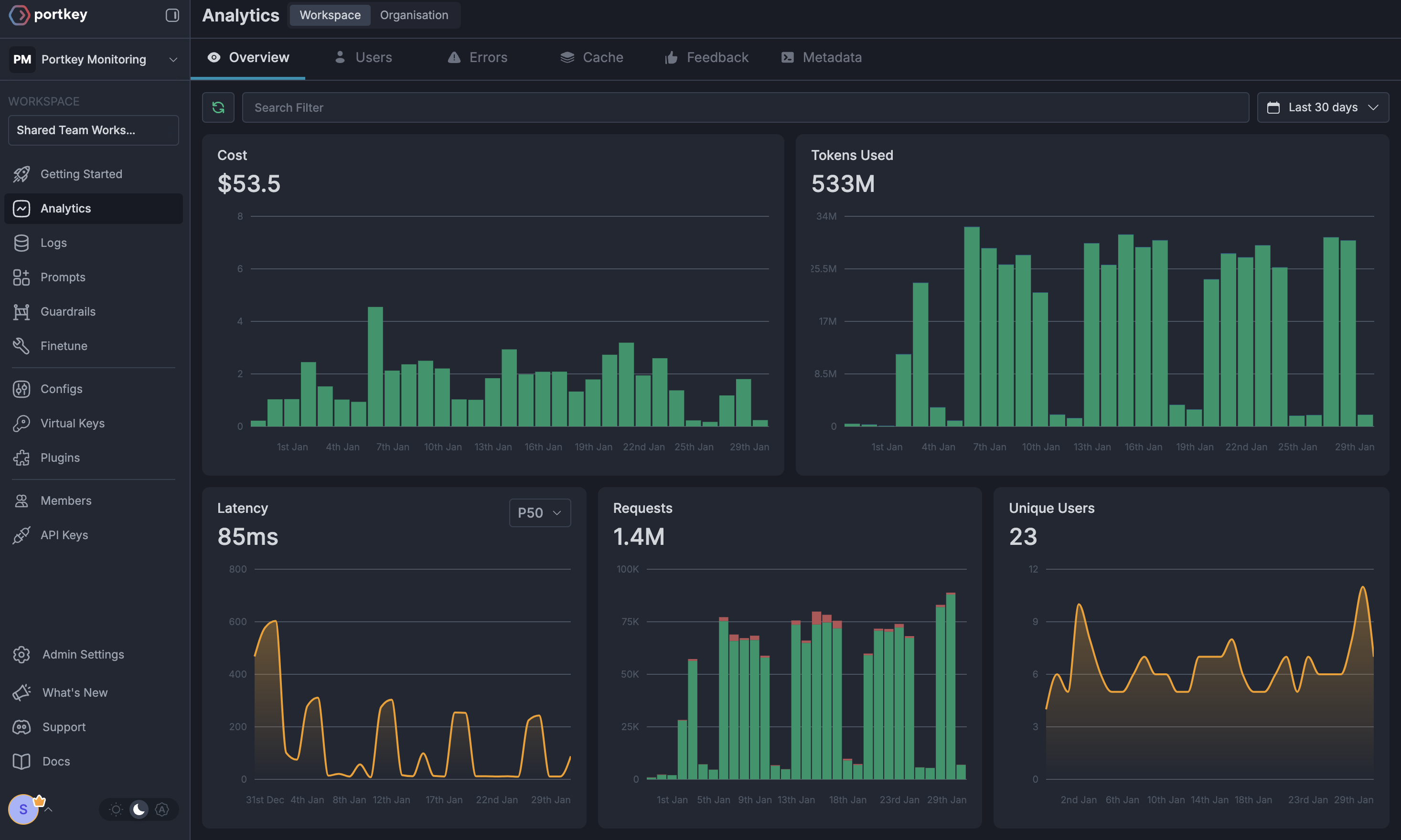
### In Portkey:
* Request logs with provider details
* Advanced analytics across providers
* Cost tracking and budgets
* Performance metrics
* Custom dashboards
* Token usage analytics
 ## Migration Guide
If you're already using Langfuse with OpenAI, migrating to use Portkey is simple:
```python Before theme={"system"}
from langfuse.openai import OpenAI
client = OpenAI(
api_key="YOUR_OPENAI_KEY"
)
```
```python After theme={"system"}
from langfuse.openai import OpenAI
from portkey_ai import createHeaders, PORTKEY_GATEWAY_URL
client = OpenAI(
api_key="YOUR_OPENAI_KEY",
base_url=PORTKEY_GATEWAY_URL,
default_headers=createHeaders(
api_key="YOUR_PORTKEY_API_KEY",
provider="openai"
)
)
```
## Next Steps
* [Create LLM Integrations](/product/integrations) for secure API key management
* [Build Configs](/product/ai-gateway/configs) for advanced routing
* [Set up Guardrails](/product/guardrails) for content filtering
* [Implement Caching](/product/ai-gateway/cache-simple-and-semantic) for cost optimization
## Resources
* [Langfuse Documentation](https://langfuse.com/docs)
* [Portkey AI Gateway Guide](/product/ai-gateway)
* [Portkey Python SDK Reference](/api-reference/sdk)
For enterprise support and custom features, contact our [enterprise team](https://calendly.com/portkey-ai).
## Migration Guide
If you're already using Langfuse with OpenAI, migrating to use Portkey is simple:
```python Before theme={"system"}
from langfuse.openai import OpenAI
client = OpenAI(
api_key="YOUR_OPENAI_KEY"
)
```
```python After theme={"system"}
from langfuse.openai import OpenAI
from portkey_ai import createHeaders, PORTKEY_GATEWAY_URL
client = OpenAI(
api_key="YOUR_OPENAI_KEY",
base_url=PORTKEY_GATEWAY_URL,
default_headers=createHeaders(
api_key="YOUR_PORTKEY_API_KEY",
provider="openai"
)
)
```
## Next Steps
* [Create LLM Integrations](/product/integrations) for secure API key management
* [Build Configs](/product/ai-gateway/configs) for advanced routing
* [Set up Guardrails](/product/guardrails) for content filtering
* [Implement Caching](/product/ai-gateway/cache-simple-and-semantic) for cost optimization
## Resources
* [Langfuse Documentation](https://langfuse.com/docs)
* [Portkey AI Gateway Guide](/product/ai-gateway)
* [Portkey Python SDK Reference](/api-reference/sdk)
For enterprise support and custom features, contact our [enterprise team](https://calendly.com/portkey-ai).