> ## Documentation Index
> Fetch the complete documentation index at: https://portkey-docs-feat-rerank-documentation.mintlify.site/llms.txt
> Use this file to discover all available pages before exploring further.
# Function Calling
> Portkey's AI Gateway supports function calling across major foundational models. Define functions in your API call, and the model can output the function name with parameters.
## Functions Usage
Portkey supports the OpenAI signature to define functions. Pass the `tools` parameter to models that support function/tool calling.
```js theme={"system"}
import Portkey from 'portkey-ai';
const portkey = new Portkey({
apiKey: "PORTKEY_API_KEY",
});
async function run() {
const response = await portkey.chat.completions.create({
model: "MODEL_NAME",
messages: [{ role: "user", content: "What's the weather like in Boston today?" }],
tools: [{
type: "function",
function: {
name: "get_current_weather",
description: "Get the current weather in a given location",
parameters: {
type: "object",
properties: {
location: {
type: "string",
description: "The city and state, e.g. San Francisco, CA",
},
unit: { type: "string", enum: ["celsius", "fahrenheit"] },
},
required: ["location"],
},
}
}],
tool_choice: "auto",
});
console.log(response.choices[0].message.tool_calls);
}
run();
```
```py theme={"system"}
from portkey_ai import Portkey
portkey = Portkey(
api_key="PORTKEY_API_KEY",
)
completion = portkey.chat.completions.create(
model="MODEL_NAME",
messages=[{"role": "user", "content": "What's the weather like in Boston today?"}],
tools=[{
"type": "function",
"function": {
"name": "get_current_weather",
"description": "Get the current weather in a given location",
"parameters": {
"type": "object",
"properties": {
"location": {
"type": "string",
"description": "The city and state, e.g. San Francisco, CA",
},
"unit": {"type": "string", "enum": ["celsius", "fahrenheit"]},
},
"required": ["location"],
},
}
}],
tool_choice="auto"
)
print(completion.choices[0].message.tool_calls)
```
```js theme={"system"}
import OpenAI from 'openai';
import { PORTKEY_GATEWAY_URL, createHeaders } from 'portkey-ai'
const openai = new OpenAI({
baseURL: PORTKEY_GATEWAY_URL,
defaultHeaders: createHeaders({
apiKey: "PORTKEY_API_KEY"
})
});
async function run() {
const response = await openai.chat.completions.create({
model: "MODEL_NAME",
messages: [{ role: "user", content: "What's the weather like in Boston today?" }],
tools: [{
type: "function",
function: {
name: "get_current_weather",
description: "Get the current weather in a given location",
parameters: {
type: "object",
properties: {
location: {
type: "string",
description: "The city and state, e.g. San Francisco, CA",
},
unit: { type: "string", enum: ["celsius", "fahrenheit"] },
},
required: ["location"],
},
}
}],
tool_choice: "auto",
});
console.log(response.choices[0].message.tool_calls);
}
run();
```
```py theme={"system"}
from openai import OpenAI
from portkey_ai import PORTKEY_GATEWAY_URL, createHeaders
openai = OpenAI(
base_url=PORTKEY_GATEWAY_URL,
default_headers=createHeaders(
api_key="PORTKEY_API_KEY"
)
)
completion = openai.chat.completions.create(
model="MODEL_NAME",
messages=[{"role": "user", "content": "What's the weather like in Boston today?"}],
tools=[{
"type": "function",
"function": {
"name": "get_current_weather",
"description": "Get the current weather in a given location",
"parameters": {
"type": "object",
"properties": {
"location": {
"type": "string",
"description": "The city and state, e.g. San Francisco, CA",
},
"unit": {"type": "string", "enum": ["celsius", "fahrenheit"]},
},
"required": ["location"],
},
}
}],
tool_choice="auto"
)
print(completion.choices[0].message.tool_calls)
```
```sh theme={"system"}
curl "https://api.portkey.ai/v1/chat/completions" \
-H "Content-Type: application/json" \
-H "x-portkey-api-key: $PORTKEY_API_KEY" \
-d '{
"model": "MODEL_NAME",
"messages": [
{
"role": "user",
"content": "What is the weather like in Boston?"
}
],
"tools": [
{
"type": "function",
"function": {
"name": "get_current_weather",
"description": "Get the current weather in a given location",
"parameters": {
"type": "object",
"properties": {
"location": {
"type": "string",
"description": "The city and state, e.g. San Francisco, CA"
},
"unit": {
"type": "string",
"enum": ["celsius", "fahrenheit"]
}
},
"required": ["location"]
}
}
}
],
"tool_choice": "auto"
}'
```
### [API Reference](/provider-endpoints/chat)
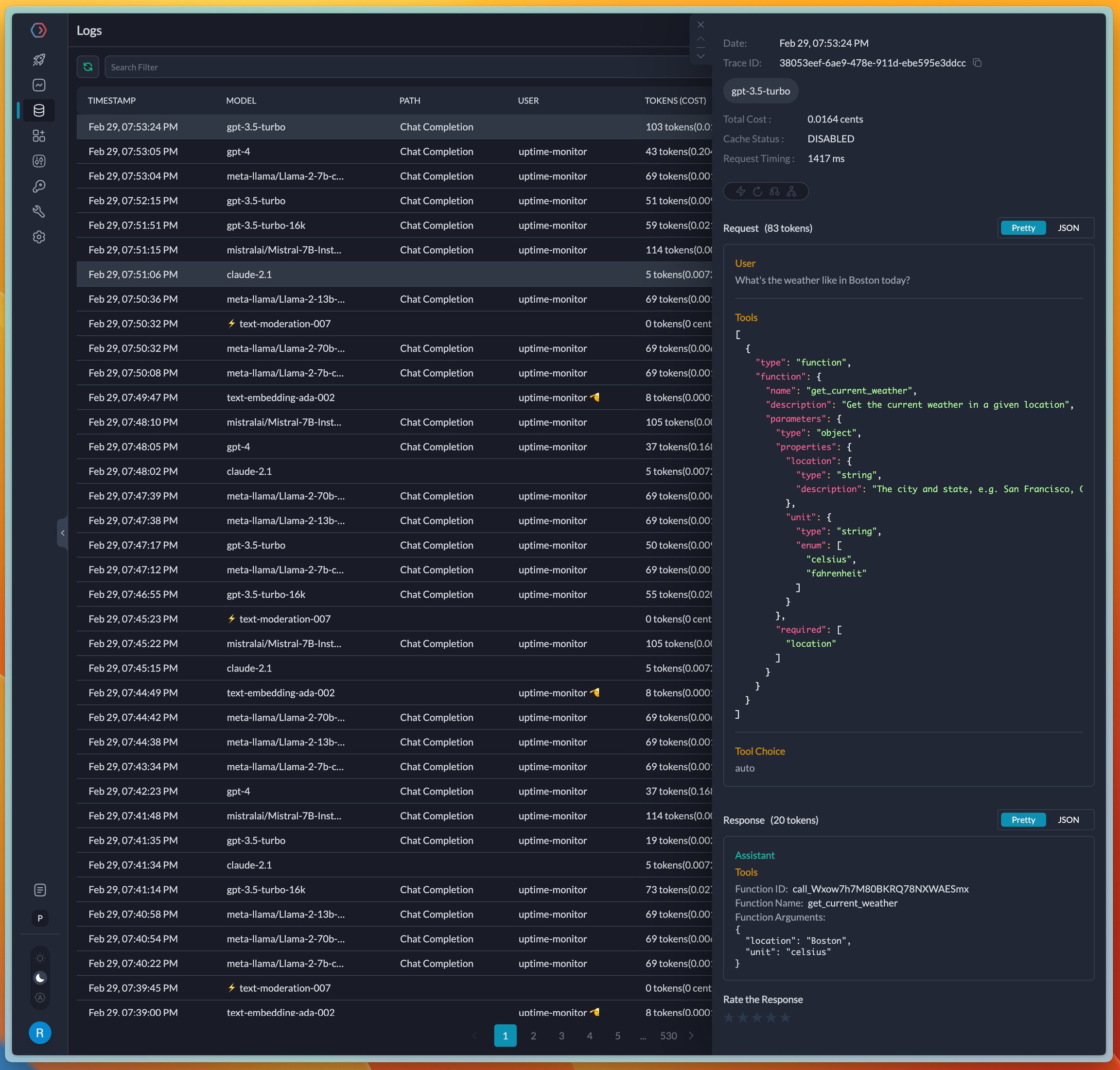
On completion, the request logs in the Portkey UI where tools and functions are visible. Portkey automatically formats the JSON blocks in the input and output for easier debugging.
 ## Managing Functions and Tools in Prompts
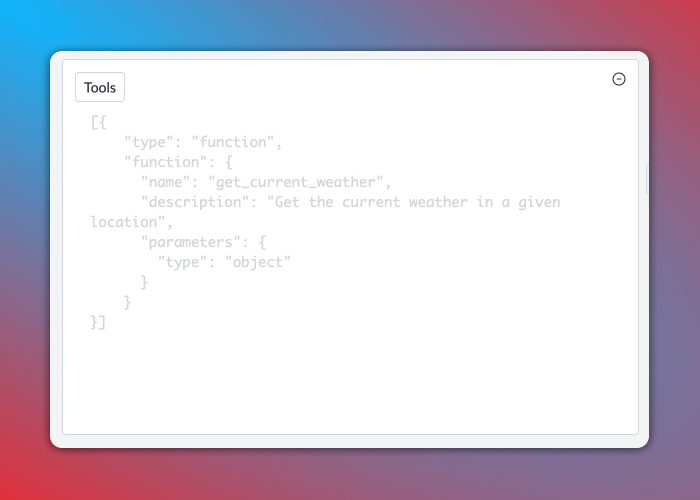
Create prompt templates with function/tool definitions in Portkey's Prompt Library. Set the `tool_choice` parameter, and Portkey validates your tool definition on the fly, eliminating syntax errors.
## Managing Functions and Tools in Prompts
Create prompt templates with function/tool definitions in Portkey's Prompt Library. Set the `tool_choice` parameter, and Portkey validates your tool definition on the fly, eliminating syntax errors.
 ## Supported Providers and Models
Portkey provides native function calling support across all major AI providers.
If you discover a function-calling capable LLM that isn't working with Portkey, please let us know [on Discord](https://portkey.wiki/community).
## Cookbook
[**See the detailed cookbook on function calling.**](/guides/getting-started/function-calling)
## Supported Providers and Models
Portkey provides native function calling support across all major AI providers.
If you discover a function-calling capable LLM that isn't working with Portkey, please let us know [on Discord](https://portkey.wiki/community).
## Cookbook
[**See the detailed cookbook on function calling.**](/guides/getting-started/function-calling)